See your tasks, deadlines, and pending approvals.
AI POWERED WORKSPACE
AI Powered Workspace — A workspace that
thinks ahead
Stop hunting for scattered tasks. Start with what matters today. NanumWork connects your team’s work and knowledge in a single flow.
AI proposes. People decide.
A BETTER WAY TO WORK
From the first task to the final handoff.
Your secretary surfaces today’s priorities and evidence. Your workspace keeps the team’s history within reach.
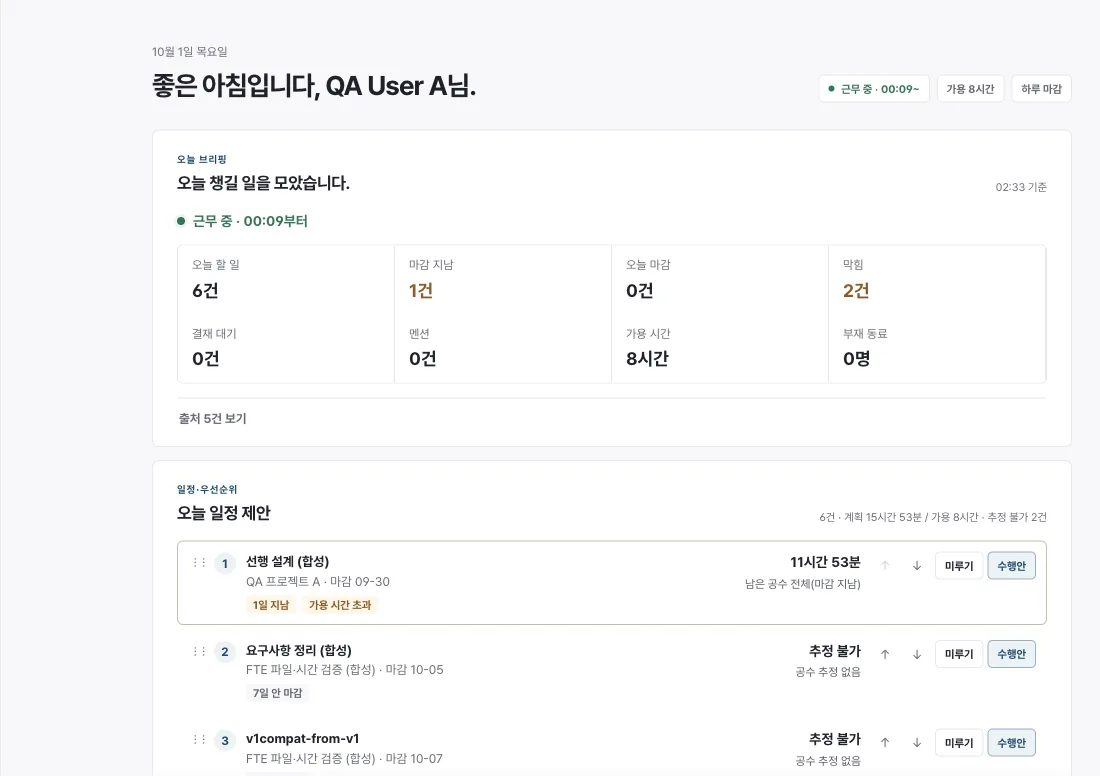
Review priorities and choose a suggested approach.
Preview changes, confirm, and get a receipt.
Reflect on today and draft tomorrow’s plan.
01 / YOUR SECRETARY
An AI secretary grounded in your work
Daily briefs and suggestions draw on work and documents you can access. Chat routes requests to navigation, actions, or questions and cites accessible sources in answers. The external Jev classifier receives only the current message and function catalog; grounded answers use a separate path.
Proposal → human decision → confirmed action → receipt
app.nanumwork.ai
02 / WORK, IN VIEW
One task, multiple perspectives
Manage hierarchy, owners, and status in Grid; view tasks by status on a board; and see your work, absences, and holidays on a calendar. The underlying record stays connected.
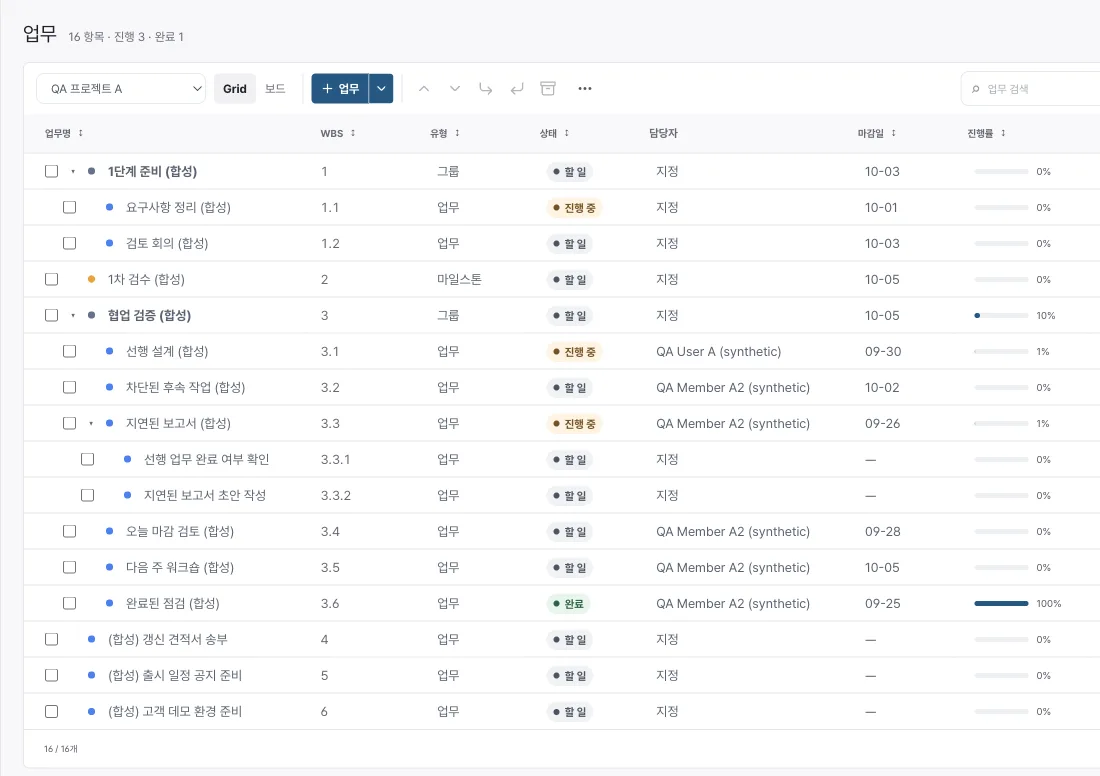
Real app screen · synthetic test data
03 / KNOWLEDGE
Answers with their sources
Connect policies, SOPs, laws, and documents with the work they inform. Inspect cited sources. Legal materials are references, not legal advice.
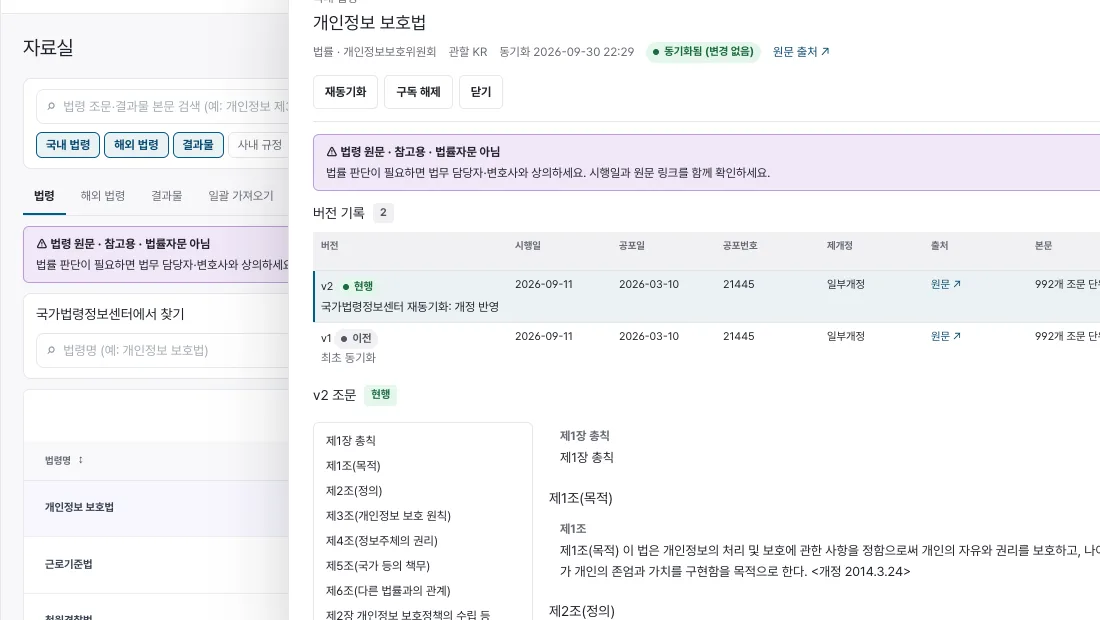 Real app screen · synthetic test data
04 / OPERATIONS
The moments that keep a company running
Work with organization, attendance, leave, approvals, billing, and collections according to your role. Performance evidence remains separate from a human’s final judgment. This is not a payroll engine or general ledger.
05 / YOUR SPACE
Your company, your workspace
Set your organization’s logo, colors, and feature preferences. New company-operations records are tenant-scoped.
06 / BUILT ON TRUST
Access only where it belongs
New company-operations records use tenant-scoped RLS, permissions, and change audits. Company policy and your access rights constrain what goes to AI. Review of legacy data permissions and external AI provider retention and training policies remain prerequisites for production rollout.
- 01Tenant-scoped operations
- 02Scoped permissions
- 03Auditable changes
- 04Controlled AI data scope
PLANS
A path for every team
These plan groupings are drafts. Pricing and entitlements will be confirmed during an introduction.
Free
01Start with your own work
Contact us
Talk to us - Secretary briefing and planning
- My tasks and records
- Work Grid
Team
✳Work together
Contact us
Talk to us - Free features
- Projects, board, and calendar
- Knowledge, library, and approvals
Enterprise
03For company operations
Contact us
Talk to us - Team features
- Company branding and settings
- Permissions, audit, HR, finance, reviews
Plan groupings are proposed drafts; actual availability and contract terms are not finalized. Features have been verified on staging; production availability should be confirmed before adoption.
FAQ
Frequently asked questions
Does AI change my work automatically?
No. The secretary presents proposals and previews. Internal actions require your confirmation and permission checks. Approvals, leave, payments, and external sends need confirmation in their respective record views.
Can another company see our information?
New operations records are separated with tenant-scoped RLS and permissions; the secretary uses only records you can access. Legacy data permissions remain under review before production rollout.
Can I sign up for a Free plan now?
Plans are drafts. Contact us to discuss pricing, availability, and onboarding.
Is the law library legal advice?
No. Laws and external materials are references for work, not a substitute for legal advice.
LET'S WORK BETTER
Make room for better work.
Have a question about bringing NanumWork to your team? Send us a note.
Email usOpens your email app. A contact form and submission backend are not yet available.